5 min read

AI Workflow Automation Tools: A Practical Guide for Growing Teams
AI workflow automation tools help teams move faster by interpreting emails, documents, and messages, then routing tasks across Microsoft 365, Azure, and business systems without manual effort. This guide breaks down essential capabilities, real use cases, and how to build a scalable automation roadmap.
Key Takeaways
- AI workflow automation tools reduce manual work by interpreting unstructured inputs
- Integration with Microsoft 365 and Azure is essential
- Successful automation programs follow a roadmap
AI has moved from novelty to daily helper inside the tools your team already uses. The real opportunity now is using AI workflow automation tools to remove repetitive work, route tasks automatically, and keep projects moving without extra status checks.
This page walks through what these tools do, where they fit, and how to choose the right stack for your environment.
You will leave with a clear automation roadmap you can discuss with your technical and business stakeholders.
What Are AI Workflow Automation Tools?
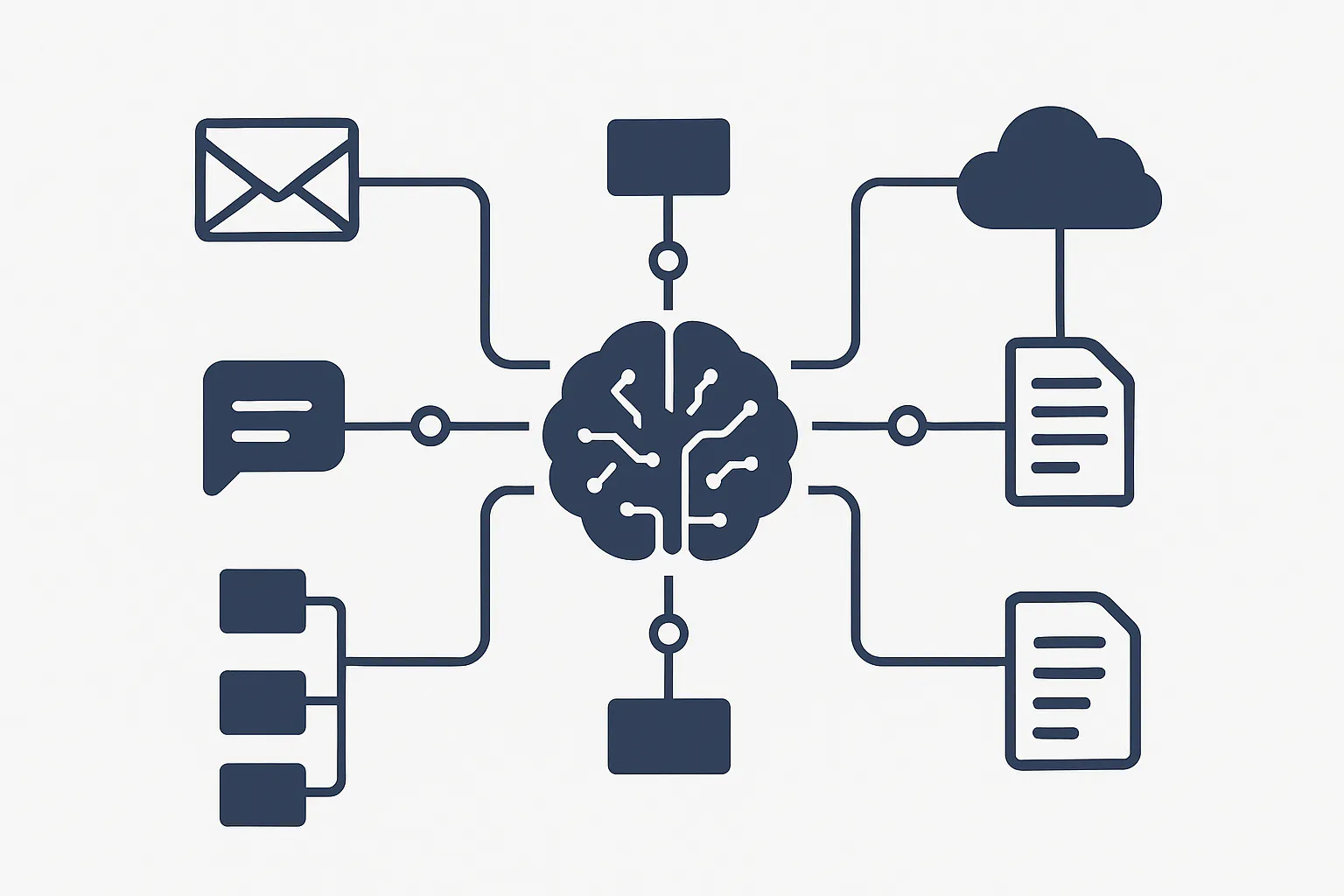
AI workflow automation tools combine traditional workflow automation software with machine learning models, large language models, and integration platforms. Together, they connect systems, interpret unstructured data, and trigger the next step in a process without someone reading every email or ticket.
Instead of manual triage, these tools watch streams such as email, forms, chats, and logs. They classify, extract key details, and then push structured actions into systems like ticketing platforms, CRMs, or internal apps. The result is faster response times, fewer dropped handoffs, and cleaner data.
Compared with older rules-only automation, modern ai workflow automation tools can handle ambiguous language, edge cases, and messy inputs. They still rely on clear rules for approvals and controls, but AI takes over the interpretation layer so teams spend more time on decisions and less time on sorting.
Core Capabilities To Expect From AI Workflow Automation
When you evaluate ai workflow automation tools, look for a set of core capabilities rather than one feature. Together, these define how far you can push automation in real business process automation projects.
- Data capture and enrichment
- Decision and routing logic
- Integration with your systems
- Human review loops
- Monitoring and optimization
Data Capture and Enrichment
The starting point is turning messy inputs into structured data. Good AI workflow automation tools can:
- Read emails, forms, chat messages, and documents
- Extract entities such as customer names, order numbers, and dates
- Detect intent so the workflow knows what kind of request it is
This foundation supports downstream AI process automation and cuts down on manual retyping.
Decision and Routing Logic
Once data is structured, the platform applies rules and AI models to decide what should happen next. That can include:
- Automatic priority assignment
- Routing items to the correct queue or team
- Suggesting responses or next actions
For higher-risk steps, the tool proposes an action and waits for human approval rather than acting alone.
Integration With Existing Systems
The value of workflow automation software depends on how well it connects to your current stack. For most organizations, that means:
- Microsoft 365 automation for Outlook, Teams, SharePoint, and Power Platform
- Azure automation for back-end tasks, scheduled jobs, and serverless workflows
- Connectors to service desks, CRMs, ERPs, and line-of-business apps
Good integration turns AI orchestration from a slide into a working system.
Human Review Loops
Not every step should be fully automated. Strong tools support:
- Clear queues for human review
- Side-by-side views of the AI suggestion and source data
- Simple accept, edit, or reject options
This structure builds trust and keeps AI process automation inside your risk comfort zone.
Monitoring and Optimization
Finally, you need visibility. Dashboards should show:
- Volume through each workflow
- Where items slow down
- Error, exception, and rework rates
This data helps you refine each automation use case and informs your broader automation roadmap.
Common AI Workflow Automation Use Cases
Most organizations start with a few high-friction workflows that touch many people and systems. Here are patterns we see across industries:
IT Service Desk Intake
AI workflow automation tools can:
- Read incoming tickets or emails
- Extract device details, user identity, and error context
- Classify issues into standard categories
- Route items to the correct support tier
This lightens the load on IT operations automation and improves response time.
Employee Onboarding and Offboarding
Using Microsoft 365 automation and Azure automation together, you can:
- Trigger account creation from an HR system event
- Assign licenses based on role
- Add the user to Teams channels and SharePoint sites
- Schedule laptop provisioning and access reviews
For offboarding, the same approach keeps data privacy and access removal consistent.
Customer Requests and Order Changes
For customer teams, ai workflow automation tools can:
- Interpret customer emails and forms
- Match them to existing orders or subscriptions
- Propose standard responses or next best actions
- Push updates into CRM or billing systems
These automation use cases support faster responses without losing the personal touch.
How Agentic AI Fits Into Workflow Automation
Agentic AI describes systems that can break larger goals into smaller tasks, call tools, and coordinate multiple steps with feedback. While this page focuses on tools, agentic AI workflows give you the pattern for how automations interact across departments.
In practice, agentic AI workflows help:
- Decide which workflow should run based on context
- Chain multiple automations across systems
- React to errors and adjust steps based on results
When you connect ai workflow automation tools with an agentic layer, you move from isolated scripts to a system that can manage end-to-end journeys.
Choosing the Right AI Workflow Automation Tools
There is no single best platform for everyone. Instead, evaluate options against a short list of criteria tied to your environment.
1. Fit With Microsoft Cloud
If you rely on Microsoft 365 and Azure, you want Microsoft 365 automation and Azure automation to sit near the center of your stack. Look for:
- Native connectors to Outlook, Teams, SharePoint, and OneDrive
- Tight integration with Power Automate, Power Apps, and Logic Apps
- Support for Azure Functions and event-based triggers
This keeps your automation roadmap close to your existing governance and compliance framework.
2. Data Security and Governance
AI-powered workflows touch sensitive data, so any platform should support:
- Role-based access control and audit trails
- Clear data residency and retention controls
- Integration with your existing data privacy policies
Governance and compliance cannot be an afterthought. Make sure the tool uses the same identity and access patterns as your current cloud services.
3. Low-Code and Pro Developer Options
You want low-code automation for business users plus APIs and SDKs for developers. That mix allows:
- Citizen developers to build simple flows
- Engineers to extend the platform with custom logic
- Shared components that both groups can reuse
This approach prevents shadow IT while still moving quickly.
4. Total Cost and Licensing Model
As you consider workflow automation software, look beyond the first few workflows. Check:
- How pricing scales by users, flows, or runs
- Whether AI features are bundled or separate
- Any limits on connectors, environments, or environments per tenant
Clear cost models keep AI process automation sustainable as adoption grows.
Designing an AI Workflow Automation Roadmap
Here is the punchline. Before you pick tools, you need a practical plan. A simple three-phase structure works for most teams.
Phase 1: Discover and Prioritize
Start by mapping current processes and spotting candidates for business process automation.
- Look for high volume, repeatable workflows
- Focus on areas with clear rules and measurable outcomes
- Gather examples of current inputs, such as emails and forms
From there, shortlist automation use cases where AI adds value by interpreting language or documents.
Phase 2: Pilot and Prove
Next step. Select two or three pilot workflows and test your ai workflow automation tools in a controlled setting.
- Define success metrics such as handling time or error rates
- Keep humans in the loop for final decisions at first
- Review performance weekly and refine prompts, rules, and mappings
This stage builds confidence and reveals which features you will use heavily.
Phase 3: Scale and Govern
Once pilots perform well, you can expand your automation roadmap.
- Standardize patterns for approvals, exceptions, and logging
- Document reusable components for forms, queues, and notifications
- Embed data privacy checks into each new build
At this point, AI orchestration and agentic AI workflows can help coordinate multiple automations, reduce duplication, and keep behavior consistent across departments.
Keeping Humans in Control
Even with strong ai workflow automation tools, humans must stay in control of decisions and outcomes. That means:
- Clear rules for which steps are fully automated
- Guardrails for financial, legal, and access-related actions
- Simple ways for employees to report issues or suggest improvements
This is where change management matters. Explain which tasks are changing, how work will improve, and how teams can shape the next round of automation.
Training should cover both the “how” and the “why.” When people understand the purpose of IT operations automation and see that it supports their work, adoption grows much faster.
How Yocum Technology Group Can Help
Designing and implementing ai workflow automation tools touches technology, security, and day-to-day operations. Many organizations have the ingredients, such as Microsoft 365, Azure, and existing workflows, but need a partner to connect them.
Yocum Technology Group focuses on helping teams:
- Identify high-impact automation use cases
- Select the right mix of workflow automation software and cloud services
- Build secure, scalable automations in Microsoft 365 and Azure
- Establish governance and compliance patterns from the start
Whether you are just beginning with AI process automation or expanding a mature program, a structured approach keeps projects on track and aligns technical work with business outcomes.
If you want help mapping specific automation use cases or reviewing your current stack, our team can walk through your environment and propose a clear path forward.
Luke Yocum
I specialize in Growth & Operations at YTG, where I focus on business development, outreach strategy, and marketing automation. I build scalable systems that automate and streamline internal operations, driving business growth for YTG through tools like n8n and the Power Platform. I’m passionate about using technology to simplify processes and deliver measurable results.