5 min read

Agentic AI: How AI Agents Are Redefining Workflow Automation on Microsoft and Power Platform
Agentic AI introduces AI agents that can reason, act, and automate complex business workflows across Microsoft 365, Power Automate, n8n, and the Power Platform. Learn how operations, sales, support, and analytics teams can use agentic AI to streamline work and unlock adaptive automation.
Key Takeaways
- Agentic AI turns workflows into adaptive systems, not fixed sequences.
- Existing Microsoft and Power Platform investments become more valuable.
- Real gains come from starting small and scaling by workflows.
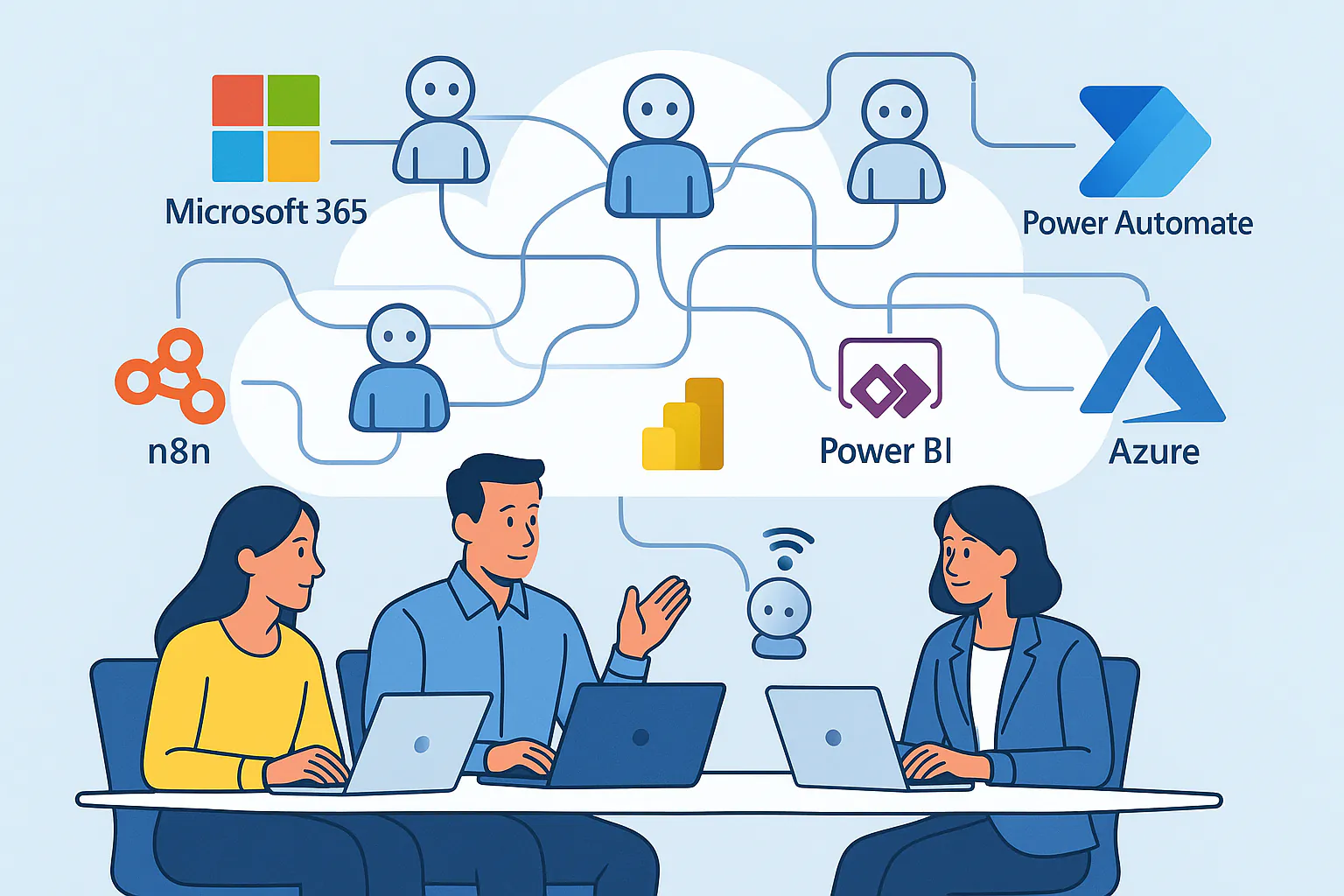
Workflows that once needed constant human sorting, decision-making, and follow-up can now run with support from AI agents that understand context and manage tasks with more flexibility than traditional automations. With platforms like Microsoft 365, Power Automate, and n8n, companies can embed agentic AI directly into the tools they already use. For organizations already invested in Microsoft Azure, Power Platform, and tools like Power Automate, n8n, and Power BI, this shift is especially important. You can layer agentic AI on top of the platforms you already use, rather than rebuilding everything from scratch.
In this guide, we will break down what agentic AI actually means, how AI agents change workflow automation, where Microsoft and n8n fit, and a practical blueprint for rolling this out in real business processes with help from Yocum Technology Group.
What Is Agentic AI?
Agentic AI refers to AI systems that can set goals, choose actions, use tools, and adapt based on feedback, not just respond to a single prompt. Instead of a static script, you have AI agents that:
- Understand context across steps
- Call tools and APIs
- Work with your data
- Adjust based on results
In the context of AI workflow automation, agentic AI means automations that do more than trigger a fixed sequence. AI agents can decide which path to follow, what information to pull from systems like Microsoft 365, and when to ask a human for help.
When you design this well, agentic AI becomes a layer that sits on top of Power Automate flows, n8n workflows, and Power Apps, turning them into smart, adaptive processes.
From Static Automations To Agentic AI Workflows
Traditional automation is rule-based. A trigger happens, a defined workflow runs. This is useful, but it breaks down when:
- Inputs are messy or unstructured
- Decisions depend on many signals
- Exceptions are frequent
- The process spans several systems and teams
Agentic AI shifts you from simple business process automation to adaptive workflows. AI agents can interpret emails, tickets, logs, or documents, decide what to do next, and call downstream tools like Power Automate, n8n, and Azure AI services without a human stitching every path by hand.
Instead of building dozens of branching flows, you define the goals, guardrails, and tools that an AI agent can use. The agent then orchestrates the right sequence at run time.
Core Building Blocks Of Agentic AI Systems
To design reliable agentic AI for business, it helps to think in building blocks rather than magic.
AI Agents
AI agents are AI-powered workers that hold a goal, reason about steps, and interact with tools. In practice, an agent might be:
- A sales follow-up agent that drafts outreach and updates CRM
- A support triage agent that classifies and routes tickets
- An analytics agent that summarizes metrics and alerts teams
These AI agents sit inside your workflows, not off to the side. They use your existing platforms, such as Microsoft 365 Copilot, Azure AI, and other models exposed through secure endpoints.
Tools And Connectors
Agentic AI is only as strong as the tools it can reach. In a Microsoft-focused environment, that often includes:
- Power Automate flows that update systems and send notifications
- n8n workflows that integrate external APIs and services
- Power Apps and web apps that capture and validate data
- Azure Functions for custom logic
The agent selects and calls these tools as needed, which turns static AI automation into flexible AI workflow automation.
Memory And Context
For agentic AI to make sound decisions, it needs context. That may come from:
- CRM or ERP records
- SharePoint or OneDrive documents
- Data models in Power BI
- Logs and events in Azure
A well-designed system controls how much context the AI agent sees, which sources it trusts, and how long it can remember previous steps in a process.
Orchestration And Guardrails
Agentic AI still needs structure. Orchestration tools handle:
- When to call an AI agent
- Which actions it is allowed to take
- When to involve a human
In a Microsoft and Power Platform environment, that orchestration often lives inside Power Automate, n8n, and Azure services that enforce retry logic, error handling, and security. Guardrails make sure AI agents improve workflows without creating chaos.
Data, Analytics, And Feedback
The last block is feedback. You monitor how AI agents behave, then adjust prompts, tools, and constraints. With Power BI and Azure-based data platforms, you can track metrics such as:
- Time saved per process
- Error rate before and after AI agents
- Volume of work handled without human touch
This closes the loop so AI workflow automation keeps improving.
Real Use Cases Across Ops, Sales, Support, And Analytics
Agentic AI becomes most useful when you attach it to clear, real-world workflows. Here are patterns Yocum Technology Group often sees in operations, sales, support, and analytics for companies on Microsoft and Azure.
Operations Automation With AI Agents
In operations, AI agents can sit in the middle of scheduling, approvals, and handoffs. Examples include:
- Reading incoming emails or forms, extracting structured data, and kicking off Power Automate flows
- Coordinating tasks between systems like Microsoft 365, custom apps, and external SaaS tools through n8n
- Monitoring event streams from Azure services and raising alerts only when conditions matter
Here, agentic AI acts as an intelligent filter so teams spend less time sorting work and more time acting on high-value tasks.
AI Sales Agents For Revenue Teams
Sales teams are natural candidates for AI sales agents. You can use agentic AI to:
- Qualify inbound leads by reading forms and emails
- Draft personalized outreach based on CRM data and recent activity
- Log calls, emails, and outcomes into your systems automatically
An AI sales agent can run inside a Power Automate flow or n8n workflow, pulling customer data from Microsoft 365 and other systems, then deciding the next best action. That might be a follow-up email, a task in your CRM, or a reminder for a human rep.
Support And Service Agents
Support teams often handle high-volume, repetitive questions that still require nuance. Agentic AI supports them by:
- Classifying tickets and routing them to the right queue
- Suggesting replies based on a knowledge base in SharePoint or other sources
- Triggering AI automation for common requests such as password resets or status updates
These AI agents can sit on top of helpdesk tools and integrate with Power Automate to update records, send messages, or escalate to humans when needed. The result is faster handling without losing control of quality.
Analytics And Insights Automation
Analytics teams can use AI agents to reduce time spent on manual reporting. Common patterns include:
- Generating natural language summaries from Power BI dashboards
- Watching for threshold breaches and sending context-rich alerts
- Pulling data from Azure and third-party tools into digestible updates for leadership
Instead of manually creating and emailing reports, AI workflow automation can run on a schedule, gather the right data, and let an AI agent craft clear narratives tailored to different audiences.
Designing Agentic Workflows In Microsoft And Power Platform
If your organization runs on Microsoft and Azure, you already have many of the core pieces needed for agentic AI. The key is wiring them together in the right order.
A common stack for AI workflow automation looks like this:
- Microsoft 365 Copilot to bring AI into Outlook, Teams, and Office documents
- Power Automate to orchestrate triggers, approvals, and system updates
- Power Apps to give users tailored interfaces into data and workflows
- n8n to connect external APIs and services where you need extra flexibility
- Azure AI and Azure Functions to handle custom models and business logic
Agentic AI layers on top of this stack. AI agents decide how to use Power Automate, n8n, and other tools at run time, instead of you predefining every single branch.
A Practical Blueprint To Get Started With Agentic AI
You do not need to transform everything at once. The most successful projects follow a staged blueprint that mirrors how Yocum Technology Group delivers AI and automation services.
1. Discovery And Strategy
Start by mapping a small set of workflows where delays or handoffs hurt the most. Look for:
- High manual effort
- Clear triggers and outcomes
- Data already living in Microsoft 365 or other systems
Document who is involved, which tools they use, and what “good” looks like. This becomes the roadmap for targeted AI workflow automation, not theory in a slide deck.
2. Pilot And Proof Of Value
Next step, choose one workflow and build a focused pilot. For example:
- An AI sales agent that triages inbound leads and drafts follow-ups
- A support agent that classifies tickets and suggests responses
- An operations agent that reads documents and kicks off approvals
Implement the pilot using tools such as Power Automate, n8n, Power Apps, and Azure AI. Keep scope tight, but measure time saved, response speed, and user satisfaction.
3. Scale With Confidence
Once the pilot proves itself, you extend automation across teams and systems. That may include:
- Adding more tools and connectors into your agent’s toolbox
- Expanding from one department, such as sales, into operations and support
- Integrating data sources so AI agents can see a fuller picture
Here, Azure, Power Platform, and your existing cloud architecture matter. They provide the security, compliance, and performance foundation that larger-scale AI workflow automation needs.
4. Evaluate And Refine
Agentic AI is never “set it and forget it”. You monitor outcomes, review edge cases, and refine prompts, rules, and safeguards. With dashboards in Power BI and Azure-based telemetry, you can see which AI agents are delivering value and which need adjustment.
This cycle of discovery, pilot, scale, and refinement mirrors how Yocum Technology Group guides clients from early experiments to durable automation programs.
Governance, Risk, And Human In The Loop
As agentic AI takes on more work, governance becomes non-negotiable. A solid approach includes:
- Clear approval flows for high-impact actions
- Audit trails for what AI agents did and why
- Data access rules that match your existing policies
- Human-in-the-loop steps for sensitive decisions
In a Microsoft ecosystem, much of this governance can be enforced through existing security, identity, and compliance features. The goal is straightforward. AI agents should extend your controls, not bypass them.
How Yocum Technology Group Helps
Yocum Technology Group is a veteran owned Microsoft Partner focused on modernizing systems and delivering AI-powered solutions on Azure and the Power Platform. The team already helps organizations use tools like Power Automate, Power Apps, Power BI, n8n, and Azure AI to automate manual work and streamline processes.
For companies exploring agentic AI, YTG can:
- Assess which workflows are ready for AI workflow automation
- Design AI agents that use your existing tools and data safely
- Build pilots on Power Platform, Azure, and n8n that deliver quick wins
- Scale successful pilots into secure, production-ready systems
If you want a partner that understands both modern cloud architecture and business process automation, YTG can help you turn agentic AI from concept into working software that your teams use every day.
Luke Yocum
I specialize in Growth & Operations at YTG, where I focus on business development, outreach strategy, and marketing automation. I build scalable systems that automate and streamline internal operations, driving business growth for YTG through tools like n8n and the Power Platform. I’m passionate about using technology to simplify processes and deliver measurable results.